


Prepare
Start with measurement meaning, not a mystery file.
- Home
- Add data
- Data
trueband Drift Watcher
Desktop spectral-monitoring software for laboratory and QC teams on macOS, Windows, and Linux.
Review historical scans. Watch for new arrivals.
 macOS
macOS Windows
 Linux
LinuxUSD 2,000 per designated workstation per year, before applicable taxes, billed annually.
Passive folder watching
Choose a local folder for compatible exports. While Drift Watcher runs, it checks for new files and brings supported scans into the local workspace. New arrivals appear beside your saved reference, ready for a human review.
An arrival is a prompt to investigate, not an automatic diagnosis or quality decision.
How watched folders workThe film · 01:08
Start with historical spectra. Let a watched folder bring later scans into view. Follow the measured difference through human review, a recorded response, and a report.
Watch with chapters and transcriptSee the Drift Watcher workflow from new arrival to documented decision.
From signal to saved decision
Start with historical scans, then let a watched folder passively bring supported new files into the local workspace while Drift Watcher runs. Arrival notices show when there is new work to review. Scroll through the real Drift Watcher workflow.Scroll the numbered steps, tap a view, or swipe the product screen.
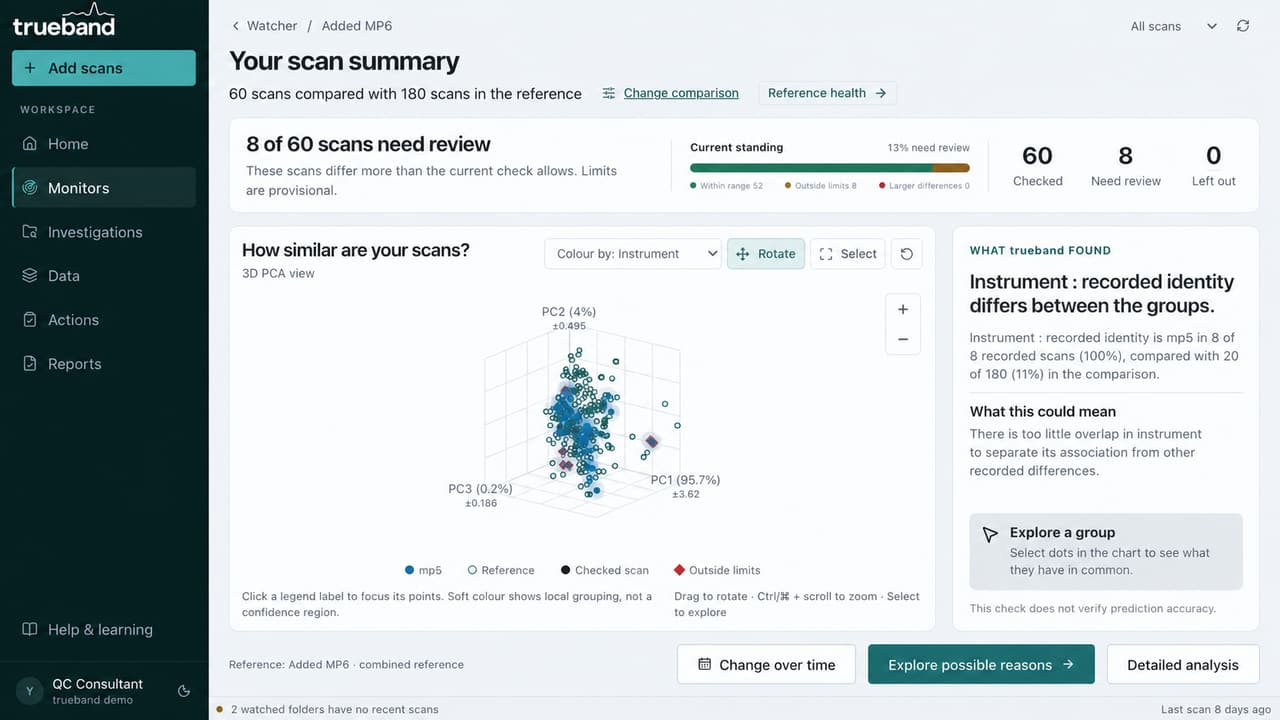
See which scans need reviewReview historical scans or new watched-folder arrivals against a declared reference.
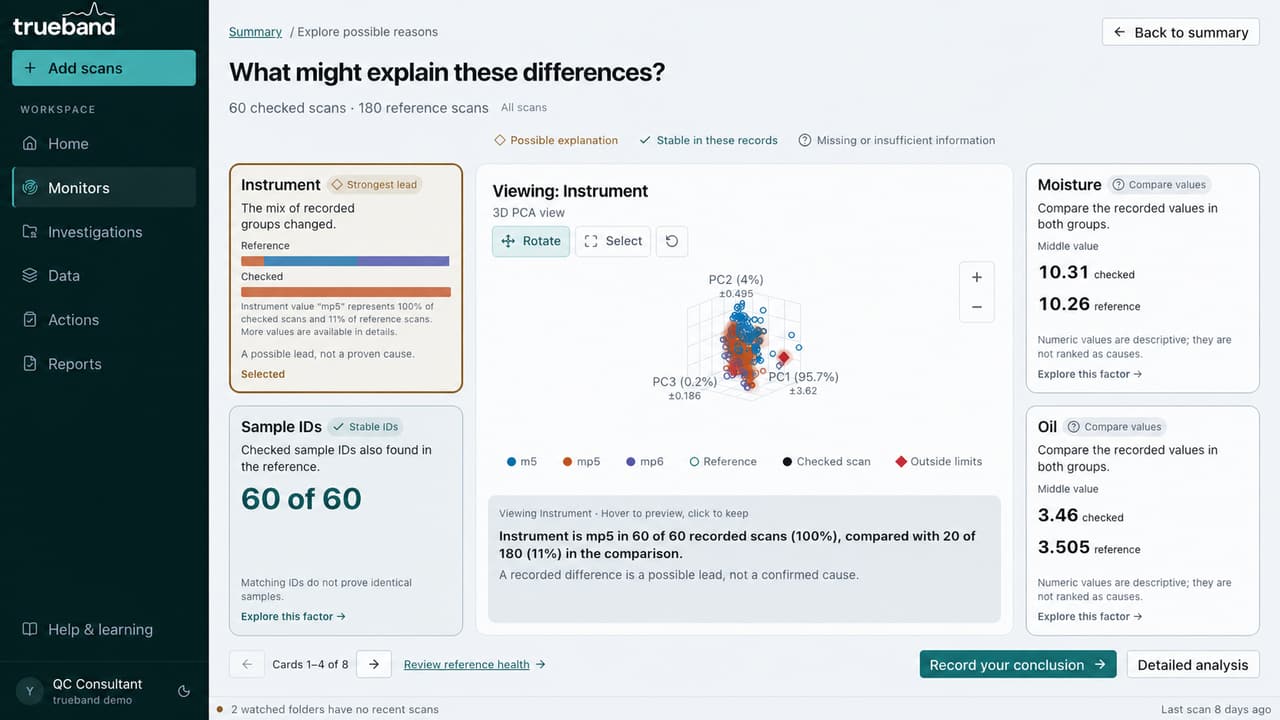
Examine recorded contextPCA and recorded fields can suggest the next check without being presented as a cause.
Scientific integrity
Drift Watcher presents spectral differences and recorded context without claiming a diagnosis, calibration result, or proven cause.
Inside the application
Prepare the data, review the evidence, preserve the response, and communicate the result.
Prepare
Review
Preserve
Communicate
Support
One workspace. Three desktop systems.
The application workflow remains familiar across macOS, Windows, and Linux.
Apple Silicon · .dmg
Evaluation package.
x64 · NSIS .exe
Evaluation package.
x64 Ubuntu or Debian · .deb
Evaluation package.
Annual desktop subscription
The current application, updates during the term, email support, one setup session, and one evaluation review session.
Read scope, exclusions, renewal, and evaluation detailsDrift Watcher
USD 2,000
per designated workstation per year, before applicable taxes
Billed annually
Evidence before purchase
Useful material for assessing fit before sharing any confidential data.
Guide
A practical explanation of what a spectral reference set represents, how selection changes interpretation, and what to record.
Guide
A practical workflow for reviewing recurring spectral exports without confusing file arrival, import health, and spectral change.
Guide
How to use PCA as evidence of multivariate structure while keeping cause, calibration performance, and decisions separate.
Release history
Read the latest product changes and improvements.
Questions before evaluation
No. Drift Watcher supports comparison and investigation of spectra. It does not validate the prediction accuracy of a calibration model.
Yes. While Drift Watcher is running, it checks a selected local folder for supported new exports, adds readable scans to the local workspace, and shows new arrivals for review. Optional desktop notifications depend on operating-system permission; this is not a cloud monitoring service.
It helps you examine recorded sample and instrument information beside the spectral pattern. Associations can guide an investigation but do not prove cause.
Imported spectra and review records remain in the local application workspace. Sign-in, entitlement checks, and product updates use defined network services.
After qualification, suitable teams can receive a 30-day installed evaluation with a setup session and a review session.
No. Evaluation installers are provided directly after a compatibility and workflow review.
Request a guided demonstration
We will qualify the operating system, format, instrument, reference data, checked data, and expected decision before scheduling.